Media Listing
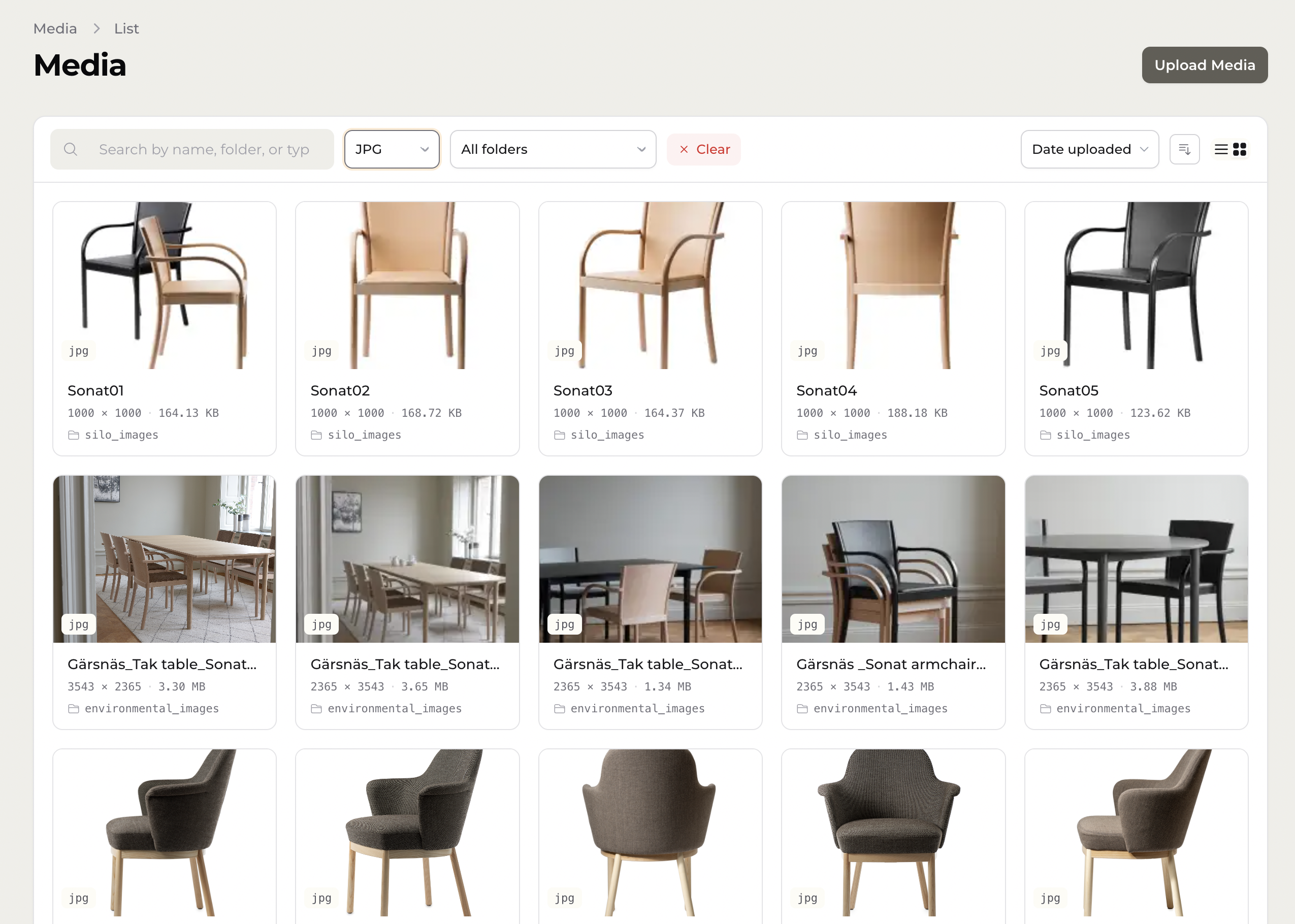
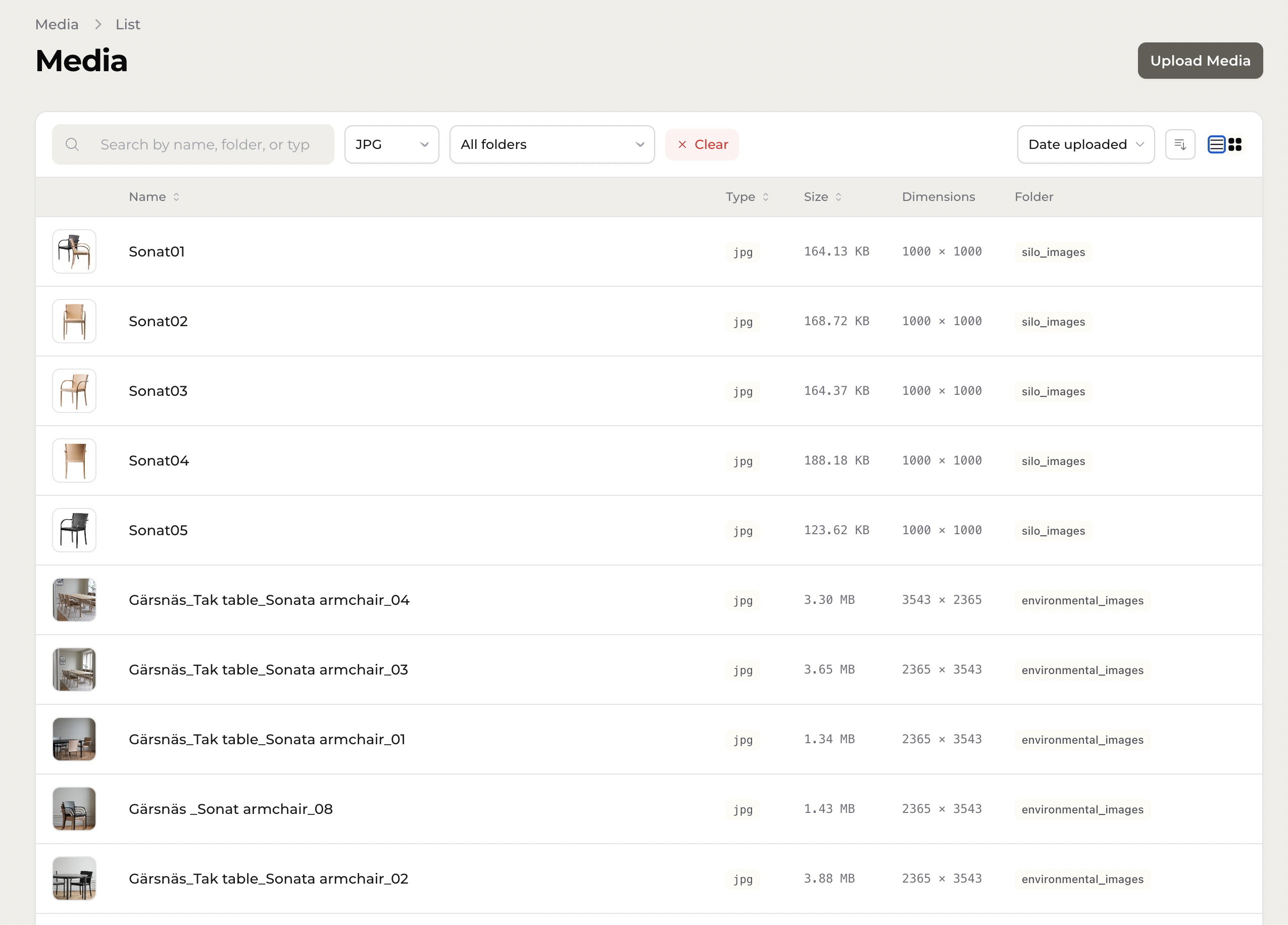
The media listing is the main browse interface, available at the Media resource in your Filament panel. It supports both grid and list views, with search, folder, and type filters.
Grid view
Displays media items as thumbnail cards. Clicking a card navigates to the edit page for that item. Hovering reveals action buttons for viewing the original file, editing, and deleting.
List view
Displays media as a table with columns for thumbnail, name, type, size, dimensions, and folder. Clicking a row navigates to the edit page. The actions column contains edit and delete buttons.
Item actions
Each item has a context menu with actions: View, Add Crop, Edit, Download, and Remove.
Filters and search
Control | Behaviour |
|---|---|
Search | Live search across |
Type filter | Filter by file extension |
Folder filter | Filter by directory |
Clear button | Resets all active filters |
Sorting
Click the column headers in list view, or use the sort dropdown in grid view. Available sort columns: name, created_at, size, type, ext. The sort direction button toggles ascending/descending.
Pagination
36 items per page. Page controls appear at the bottom when there is more than one page.
Livewire component vs. Filament page
The listing blade is shared between two contexts:
MediaListingLivewire component — used when embedding the listing standalone.ListMediaFilament page — used when viewing the listing inside the Filament resource.
Both expose getEditUrl(int $id): ?string. If the resource URL cannot be resolved (e.g. no panel is registered), the method returns null and edit links are hidden.
Deleting media
The delete button fires a wire:confirm prompt before calling deleteMedia($id), which hard-deletes the record and dispatches a media-deleted event. The observer handles cleaning up the file from disk.