Cropper
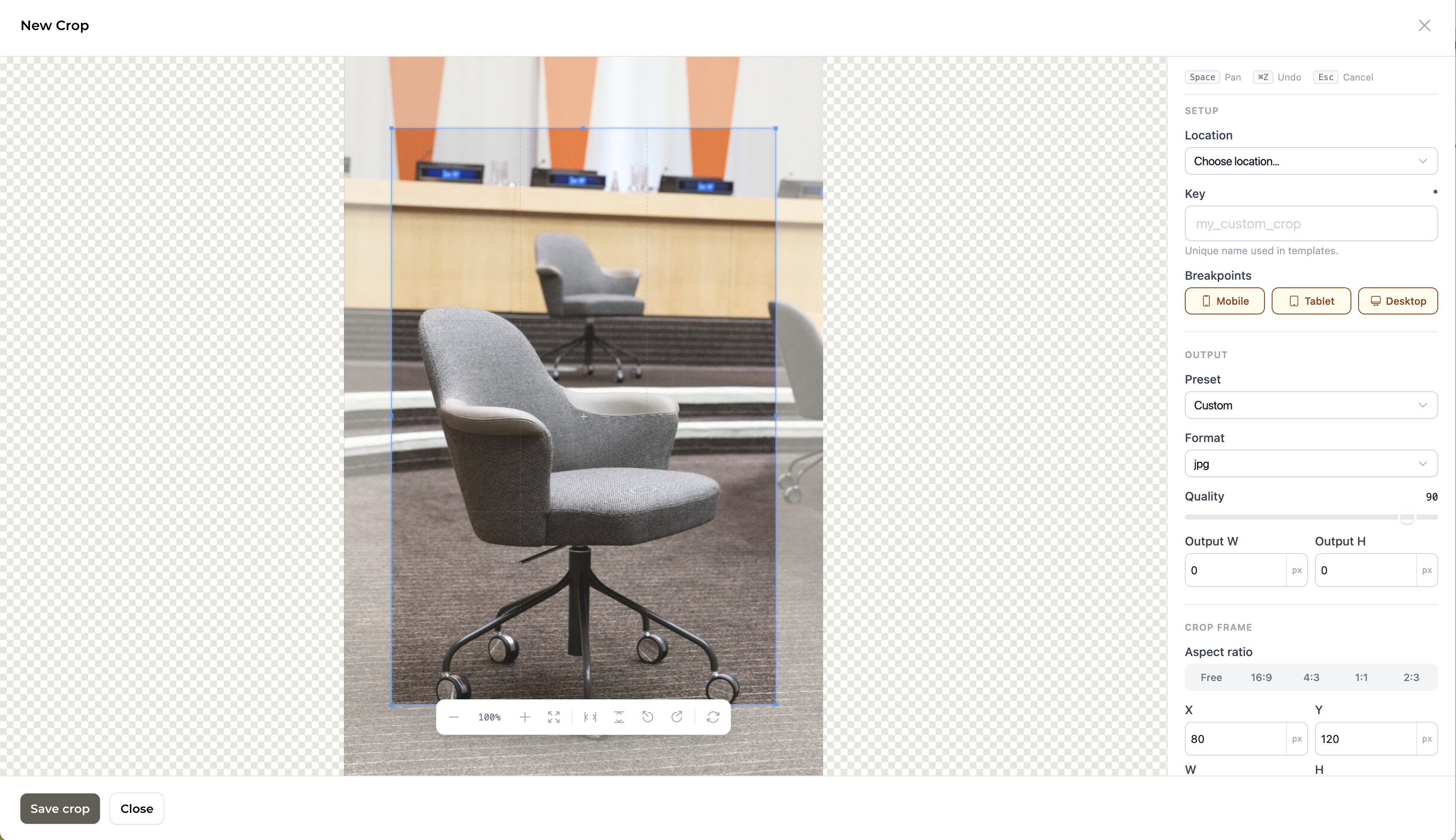
The cropper is an interactive image editing panel powered by Cropper.js. It opens as a Filament slide-over when editing a media item.
What it does
Define a named crop area on an image (position, size, rotation)
Choose output format (jpg, webp, png, avif) and quality
Assign the crop to one or more breakpoints (mobile, tablet, desktop)
Optionally link the crop to a Crop Location and Crop Preset
Save crops back to the
cropsJSON column on the media record
Toolbar
Button | Action |
|---|---|
− / + | Zoom out / in |
Fit | Reset zoom and pan |
Flip H / V | Mirror the image |
Rotate left / right | Rotate 90° |
Reset | Reset all transforms |
Sidebar panels
Setup
Location — select a predefined Crop Location. Choosing a location auto-populates the crop key and locks in the preset.
Key — a unique string identifier for this crop, used in templates to retrieve the correct crop URL (only shown when no location is selected).
Breakpoints — tag this crop as applying to mobile, tablet, and/or desktop viewports.
Output
Preset — select a Crop Preset to auto-set the aspect ratio, output dimensions, format, and quality.
Format — the output image format.
Quality — a 1–100 slider controlling compression quality.
Output W / H — explicit output pixel dimensions. Leave at 0 to derive from the crop frame.
Crop frame
Aspect ratio — Free, 16:9, 4:3, 1:1, or 2:3. Locks the crop selection box.
X / Y / W / H — numeric inputs for precise crop positioning.
Rotate — rotation in degrees.
Keyboard shortcuts
Key | Action |
|---|---|
| Pan mode |
| Undo last crop change |
| Cancel / close |
Saved crops
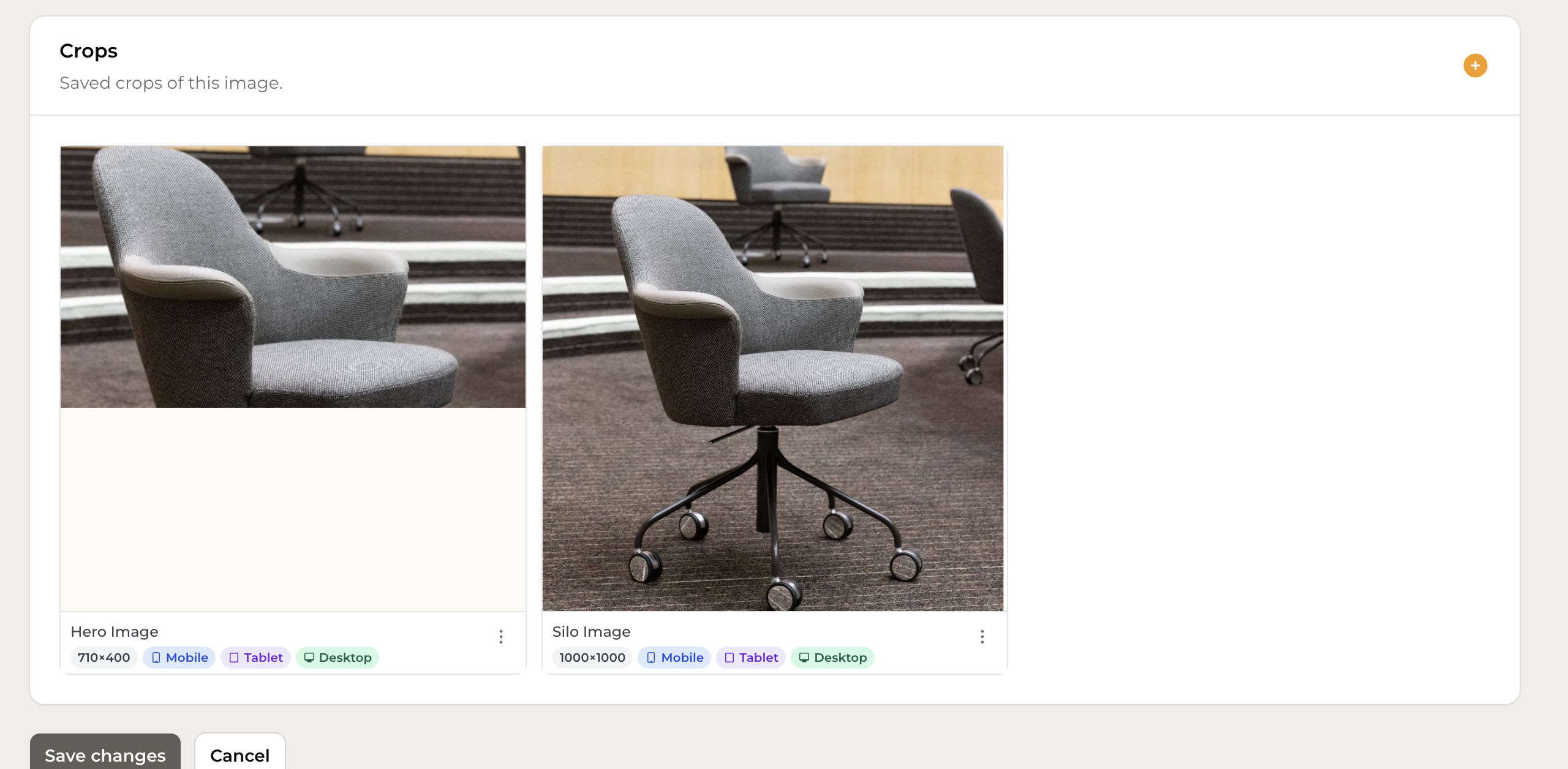
After saving, crops appear on the media edit page with their key, dimensions, and assigned breakpoints.
Saving
Crops are saved as an array keyed by crop key in the crops JSON column:
To retrieve a crop URL in a template: